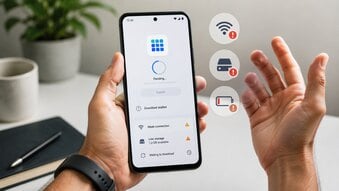
When you want to download an Android app or game, you will usually see two common choices: install it from Google Play or download an APK file from another source. Both methods can put an app on your Android phone, but they are not the same. The better choice depends on your device, the app you want, and how much control you need over the installation process.

For most users, Google Play is the easier and safer option. It is built into many Android phones, it manages downloads automatically, and it helps keep apps updated. APK downloads give you more flexibility, but they also require more caution because you are installing apps outside the normal Google Play process.
What Is a Google Play Download?
A Google Play download means you install an app directly from the Google Play Store. You open Google Play, search for the app, tap Install, and wait for the process to finish. Google Play handles the download and installation in the background.
This is the most beginner-friendly method because you do not need to open files manually or change phone settings. Google Play also shows useful information before you install an app, including ratings, reviews, screenshots, app size, developer name, permissions, and data safety details.
Another big advantage is updates. Apps installed from Google Play can update automatically. This is helpful for games, social apps, security apps, and tools that need bug fixes or new features. Google also recommends checking your connection, storage, Android system updates, and Play Store app status when app downloads fail, which shows how tightly the Play Store is connected to normal Android app management.
What Is an APK Download?
APK stands for Android Package Kit. It is the installation file format Android uses for apps and games. When you install an app from Google Play, you usually do not see the APK file because Google Play manages that process for you. When you download an APK manually, you are handling the installation file yourself.
To install an APK, you usually download the file from a website, open it on your phone, allow installation from that source, and then tap Install. On newer Android devices, this unknown app permission is usually controlled by source. For example, you may allow Chrome, Files, or another app to install APK files.
APK downloads can be useful, but they are not always the best choice for beginners. The main risk is the source. If you download an APK from a random site, the file may be outdated, modified, fake, or harmful.
Main Differences Between Google Play and APK
Google Play is simpler. You search, tap Install, and let the store handle the rest. APK installation is more manual. You need to find the file, download it, allow installation, open the file, and confirm the install.
Google Play is also better for updates. If you install an app from Google Play, you can usually update it from the Play Store. If you install an APK manually, you may need to find and install the next version yourself.
Safety is another major difference. Google Play is not perfect, but it gives users more built-in checks and clearer app information. APK files can be safe when they come from a trusted source, but unsafe APK files are a common way for fake apps and malware to spread. Google Play Protect can scan apps, including sideloaded apps, and Android has added more protections against harmful app behavior over time.
When Google Play Is the Better Choice
Google Play is usually the better option if the app is available there and your phone supports it. This is especially true for beginners, parents, casual users, and anyone who does not want to manage files manually.
Use Google Play when:
-
You want the easiest installation process.
-
You want automatic updates.
-
You want to read user reviews before installing.
-
You want to check the developer name and app permissions.
-
You are installing banking, payment, shopping, email, or private-data apps.
-
You are downloading popular games or social apps.
-
You are not sure whether an APK website is trustworthy.
For sensitive apps, Google Play is strongly preferred. Apps related to money, passwords, identity, work, or private messages should come from official sources whenever possible.
When APK Download Can Be Useful
APK download can be useful in special situations. Some Android devices do not have Google Play Store. Some apps may not be available in every region. Some users may need an older version because a new update changed the design, removed a feature, or stopped working on an older phone.
APK download may make sense when:
-
Your device does not have Google Play.
-
The app is not available in your country.
-
The developer provides an official APK on its website.
-
You need a specific older version.
-
You are testing an app.
-
You understand the source and the risks.
Even in these cases, you should check the file carefully. Look for the app name, developer name, version number, update date, and file size. Avoid download pages that are full of pop-ups or fake buttons.
Warning Signs Before Installing an APK
Do not install an APK if the website promises unrealistic benefits. Many unsafe APK pages use attractive wording to get clicks.
Be careful with APKs that claim to offer:
-
Free premium features
-
Unlimited coins
-
Free diamonds
-
Hacked game tools
-
Mod menus
-
Paid apps for free
-
No ads forever
-
Account boosts
-
Free subscriptions
These offers often lead to risky downloads. A fake APK can copy a real app icon and name, but still behave differently after installation.
Which One Should You Use?
For most Android users, Google Play is the better choice. It is easier, more convenient, and safer for everyday downloads. APK download is more flexible, but it should be used only when you have a clear reason and trust the source.
A simple rule works well: use Google Play first. Consider APK only when Google Play is not available, the app is missing from your region, or you need a specific version for a clear reason. If you are unsure, do not install the APK.
The Safer Choice for Most Android Users
Google Play and APK downloads both have a place in Android, but they serve different users. Google Play is best for normal app discovery, simple installation, and easy updates. APK files are useful for manual installation, older versions, and devices without Google Play.
If your goal is safety and convenience, choose Google Play. If your goal is flexibility, APK can help, but only when the source is trustworthy and the app is not sensitive. A few minutes of checking before installation can prevent many problems later.