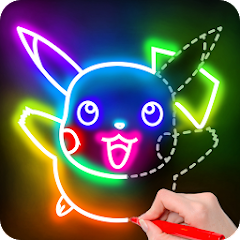
Learn to Draw Cartoon

5M+
Installs
Creative APPS
Developer
-
Art & Design
Category
-
Rated for 3+
Content Rating
-
https://sites.google.com/view/draw-apps-for-free/
Privacy Policy
editor reviews
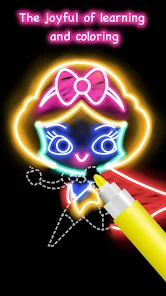
In a digital world overflowing with complex art applications, Learn to Draw Cartoon emerges as a refreshingly straightforward gateway into the world of illustration. This app, developed by Creative APPS, strips away the intimidating layers of professional software, offering a pure, step-by-step educational experience focused solely on cartooning. Its development philosophy seems centered on accessibility, ensuring that anyone with a smartphone and a desire to draw can pick it up without prior knowledge. The usage experience is wonderfully linear and gratifying; you're not bogged down by endless toolbars or advanced settings. Instead, you follow clear, bite-sized lessons that build confidence with each completed character, making the journey from hesitant beginner to capable cartoonist feel both achievable and fun.
The charm of this software lies in its singular focus. While other drawing apps might offer a vast canvas for everything from photo editing to digital painting, Learn to Draw Cartoon knows its audience. It provides a curated library of characters and objects, teaching fundamental techniques like shaping faces, expressing emotions through simple lines, and constructing figures. The reason to choose this app among a sea of similar tutorial-based software is its no-fuss, practical approach. It feels less like a rigid course and more like a friendly coach holding your hand, celebrating each small victory as you replicate a silly animal or a heroic figure. The progression is tangible, and the immediate satisfaction of creating a recognizable drawing is its greatest hook.
Ultimately, this app delivers on its promise with clarity and consistency. It doesn't pretend to be a comprehensive art studio but excels brilliantly as a dedicated teacher for a specific, joyful style. The development prioritizes user-friendly interaction over flashy features, creating a stress-free environment perfect for hobbyists, kids, or anyone looking to unlock a bit of creative joy. If you've ever wanted to doodle charming characters but didn't know where to start, this application is your ideal starting point. It transforms the mystery of drawing into a series of simple, conquerable steps. Don't just dream about drawing—start your cartoon adventure today and download Learn to Draw Cartoon! 🎨✏️📱🌟😊🖌️👨🎨👩🎨🚀💫
features
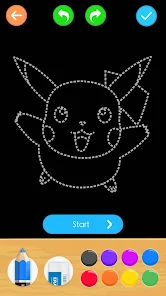
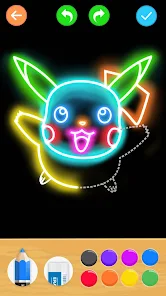
- 🎯 Step-by-Step Tutorials: The core of the app is its extensive library of guided lessons. Each tutorial breaks down a cartoon character into elementary shapes and lines, presented in a clear, sequential manner that's easy to follow, pause, and replay.
- 📚 Structured Learning Path: Content is organized into categories and difficulty levels, allowing users to logically progress from basic shapes and faces to more complex full-body characters and dynamic scenes, building skills incrementally.
- 🖼️ Diverse Drawing Library: Users have access to a wide variety of subjects, including cute animals, popular superheroes, funny people, and everyday objects. This variety keeps the practice engaging and covers different drawing challenges.
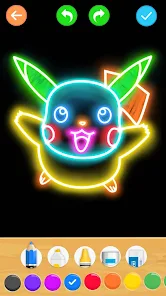
- ⚙️ Simple Drawing Tools: The app provides a minimal set of essential tools—a brush, an eraser, and a color palette—which reduces distraction and helps beginners focus purely on the technique of line and form.
- 📖 Offline Accessibility: Once downloaded, the majority of the tutorials and tools are available without an internet connection, making it a perfect companion for practicing drawing anywhere, anytime.
- ✨ Instant Feedback & Practice Mode: After completing a guided lesson, users can enter a practice mode to draw the same character freely, reinforcing muscle memory and confidence without the tutorial overlay.
pros
- 👍 Incredibly Beginner-Friendly: The interface is intuitive and uncluttered. Instructions are visual and simple, eliminating any technical confusion and allowing total novices to produce satisfying results from their very first attempt.
- 🚀 Rapid Skill Building: The incremental design of the lessons means you see noticeable improvement quickly. Completing each drawing provides a concrete sense of achievement that motivates continued practice and learning.
- 😊 Stress-Free Learning Environment: With no pressure of grades or complex theory, the app fosters a playful, experimental atmosphere. Mistakes are easily erased, encouraging users to try without fear of failure.
- 💡 Excellent for All Ages: Its simple approach makes it equally appealing to children developing motor skills and adults seeking a relaxing, creative hobby. The content is generally family-friendly and universally understandable.
- ⏱️ Perfect for Short Sessions: Lessons are designed to be completed in just a few minutes, fitting perfectly into short breaks or spare moments, making consistent practice easy to integrate into a daily routine.
- 🔧 Low Device Demand: The app runs smoothly on most smartphones and tablets without requiring high processing power or extensive storage space, ensuring broad accessibility.
cons
- 👎 Limited Creative Freedom: The app is strictly a tutorial follower. It doesn't provide a blank canvas for original creation, which can feel restrictive once users master the provided lessons and want to apply skills independently.
- 🔄 Repetitive Formula: The teaching method, while effective, is very similar for every character. Some users might find the process becomes predictable or monotonous after working through numerous tutorials.
- 🎨 Basic Toolset: The drawing tools are functional but lack advanced options like layer support, varied brush textures, or pressure sensitivity. Those looking for a more robust digital drawing experience will find it too simplistic.
- 📶 Ad-Supported Model: The free version typically includes advertisements, which can interrupt the flow of a lesson. Removing ads usually requires a purchase, which might be a barrier for some.
- 🔗 Minimal Community Features: Unlike some learning platforms, it generally lacks social features such as sharing your work within an app community, getting feedback, or seeing others' interpretations of the same lesson.
- 📈 Skill Ceiling: The app is designed for foundational learning. Artists who progress beyond the beginner stage will eventually outgrow its content and need to seek more advanced resources elsewhere for complex cartooning or animation techniques.
Articles
![]()
How to Get Robux Safely Without Scams
![]()
How to Download Older Versions of Android Apps
![]()
How to Download Games on Google Play for the First Time
![]()
What Is an APK File for Android? Everything You Need to Know
![]()
Do Free Robux Generators Work?
![]()
Robux Pricing Guide (2026 Update): How Much Robux Really Costs
![]()
How to Avoid Scams in Roblox
![]()
Rarest Pets in Adopt Me! (2026 Update)
![]()
How to Trade Safely in Adopt Me! (So You Don't Lose Everything)
![]()
Secret Tricks Nobody Tells You in 'Steal a Brainrot'
![]()
Beginner Guide: Don't Lose Your Brainrot
![]()
How to Steal in 'Steal a Brainrot' Without Getting Caught (Or at Least Not Instantly)
![]()
Is Brookhaven RP Worth Playing? It Depends on What You’re Looking For
![]()
Why Blox Fruits Is So Popular? Here’s Why Everyone Keeps Playing It
![]()
Best Roblox Obby Games for Beginners (2026): Learn the Game Without Hitting a Wall
![]()
Top 10 Roblox Horror Games (2026): The Scariest Experiences You Can't Miss
















Hot Apps
-
![]()
Microsoft Teams
Microsoft Corporation4.6

-
![]()
PayByPhone
PayByPhone Technologies Inc .4.9 -
![]()
Domino's Pizza USA
Domino's Pizza LLC4.7 -
![]()
GroupMe
GroupMe4.5 -
![]()
Amazon Alexa
Amazon Mobile LLC4.5 -
![]()
WhatsApp Messenger
WhatsApp LLC4.2 -
![]()
Ticketmaster-Buy, Sell Tickets
Ticketmaster L.L.C.3 -
![]()
Zoom - One Platform to Connect
zoom.us4.1 -
![]()
Hulu: Stream TV shows & movies
Disney4.5 -
![]()
Perplexity - Ask Anything
PerplexityAI4.7 -
![]()
Grok
xAI4.9 -
![]()
Afterpay - Buy Now Pay Later
Afterpay3.8 -
![]()
Klarna | Shop now. Pay later.
Klarna Bank AB (publ)4.3 -
![]()
ParkMobile: Park. Pay. Go.
Parkmobile, LLC4.3 -
![]()
ChatBot - AI Chat
X PhotoKit4.5 -
![]()
Uber Eats: Food Delivery
Uber Technologies, Inc.4.3 -
![]()
Sora by OpenAI
OpenAI4.7 -
![]()
TikTok
TikTok Pte. Ltd.4.4 -
![]()
Netflix
Netflix, Inc.3.9 -
![]()
Snapchat
Snap Inc4.1 -
![]()
GasBuddy: Find & Pay for Gas
PDI Software, Inc.3.1 -
![]()
Blink Home Monitor
Immedia Semiconductor4 -
![]()
Google Chat
Google LLC4.4 -
![]()
Snapmint: Buy Now, Pay in EMIs
Snapmint4.5 -
![]()
Cash App
Block, Inc.4.5 -
![]()
Facebook
Meta Platforms, Inc.4 -
![]()
Passport Parking
Passport Labs, Inc.2.5 -
![]()
Waze Navigation & Live Traffic
Waze3.9 -
![]()
Instagram
Instagram4.3 -
![]()
FaceApp: Perfect Face Editor
FaceApp Technology Ltd4.4






























Disclaimer
1.Appinfocenter does not represent any developer, nor is it the developer of any App or game.
2.Appinfocenter provide custom reviews of Apps written by our own reviewers, and detailed information of these Apps, such as developer contacts, ratings and screenshots.
3. All trademarks, registered trademarks, product names and company names or logos appearing on the site are the property of their respective owners.
4.Appinfocenter abides by the federal Digital Millennium Copyright Act (DMCA) by responding to notices of alleged infringement that complies with the DMCA and other applicable laws.
5.If you are the owner or copyright representative and want to delete your information, please contact us [email protected].
6.All the information on this website is strictly observed all the terms and conditions of Google Ads Advertising policies and Google Unwanted Software policy.
7.Appinfocenter.com is an independent, information-only website which is 100% free to all the users.