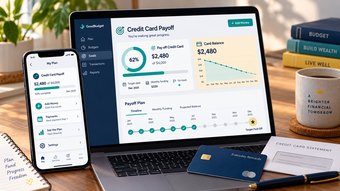
When Garmin Connect and Samsung Health show different numbers, trace one data type through the connection instead of resetting everything. Check the Garmin device, then Garmin Connect, then Health Connect, and finally Samsung Health. A missing workout and a different daily step total may have different causes, even when both apps appear connected.

Start with one recent activity whose time and details you recognize. It is much easier to locate a missing record than to explain an entire day's changing totals across several devices.
Understand the direction of the connection
Garmin's official Health Connect guidance describes a one-way transfer from Garmin Connect to Health Connect; Garmin does not read data back through that connection. It also specifies Android 14 or later for this integration. That requirement is distinct from the broader operating-system requirements for simply running Garmin Connect.
Samsung Health can exchange supported data with Health Connect when the relevant permissions are granted. That does not mean every proprietary Garmin metric becomes a matching Samsung dashboard tile or that both apps calculate every summary in the same way.
Think of the path as four checkpoints: your Garmin device records; Garmin Connect receives; Health Connect stores permitted exported records; Samsung Health reads supported records it has permission to access. Find the first checkpoint where the expected information disappears.
Choose one specific record to follow
Select a short recent workout with a clear start time and duration. Write down the activity type, date, time zone, distance where relevant, and recording device. Avoid starting with a proprietary score or a total assembled from multiple sources.
Check whether the activity is visible in Garmin Connect. If it is missing there, focus on syncing the Garmin device with its own app. Changing Samsung permissions cannot fix a record that has not reached the first app.
| Checkpoint | What to verify | If the record is absent |
|---|---|---|
| Garmin device | The activity was saved successfully | Investigate recording or device storage first |
| Garmin Connect | The saved activity reached the expected account | Resolve device-to-app synchronization |
| Health Connect | A supported record exists with Garmin as its source | Check Garmin export support and write permissions |
| Samsung Health | The relevant view can read and display that data type | Check read permissions and display behavior |
Check permissions by data type and direction
In Android settings, search for Health Connect and inspect app permissions. Review Garmin Connect's permission to write the relevant data and Samsung Health's permission to read it. A connection can be enabled for one category while another category remains unavailable or disabled.
Samsung's developer FAQ says steps, exercise, heart rate, and sleep are among the synchronized categories. Its instructions also say to launch Samsung Health after granting permissions through Android's Health Connect settings. Use the current controls on your phone because labels can vary by version.
Grant only access you intend to use. Turning on every permission is not a substitute for identifying whether the missing category is actually supported. If a metric has no corresponding supported record type or import behavior, repeated toggling will not create it.
Treat step totals as a separate investigation
Daily steps can combine information from a phone, watch, or another connected service. Inspect the source records and time ranges before expecting two headline totals to match exactly.
For example, a phone may collect steps while a watch is charging, or two devices may record overlapping periods. This is a possible explanation to investigate, not proof that either app is wrong. Review any source-priority or aggregation controls available in your current setup.
Check the date boundary and time zone as well. A late-night walk can fall into different daily views if the apps are displaying different local times. Compare the same interval rather than one app's current day with another app's completed previous day.
Samsung's published FAQ includes steps among supported categories, so a blanket claim that Samsung Health never supports step exchange is not a reliable diagnosis. Inspect what your installed versions actually store and display.
Run a controlled sync test
-
Note your Android, Garmin Connect, Samsung Health, and relevant device versions.
-
Confirm the integration's operating-system requirement and supported data type.
-
Review the two apps' Health Connect permissions.
-
Record and save one short activity on the Garmin device.
-
Sync it to Garmin Connect and confirm the activity details there.
-
Inspect Health Connect for the relevant source record.
-
Open Samsung Health and inspect the corresponding activity or category.
-
Record where the chain stops and what each screen shows.
Allow the normal sync process to complete rather than assuming all screens update simultaneously. Do not promise yourself a specific refresh interval unless the current documentation gives one for your setup.
A new test record is useful because historical data may follow different import or backfill behavior. If new activities transfer but old ones do not, ask support about history availability instead of repeatedly disconnecting the account.
Avoid duplicate paths and destructive troubleshooting
If you also use a third-party bridge, list that path alongside the direct integration. Two routes exporting the same workout can complicate the record history. Review source details and the bridge's settings before deciding whether to disable one path.
Preserve screenshots and any available original activity export before removing data or accounts. A factory reset should not be your opening move for an app-permission problem. It can erase useful evidence without changing unsupported import behavior.
If support is needed, provide the device models, software versions, example activity time, and the first missing checkpoint. That report is much more actionable than “my totals are different.”
Frequently asked questions
Will Samsung Health data flow back into Garmin through Health Connect?
Garmin describes its connection as one-way export and says it does not read Health Connect data.
Does a connected status mean every Garmin metric transfers?
No. Check supported data types and permissions, especially for proprietary scores and summary metrics.
Should I buy a different watch to fix the mismatch?
First establish whether the problem is recording, permissions, synchronization, or unsupported data. New hardware may not change the failing step.