Gugu Gaga Penguin: Mini Games

1M+
Installs
Kids Games LLC
Developer
-
Casual
Category
-
Teen
Content Rating
-
https://www.kidsgames.top/terms
Privacy Policy
editor reviews
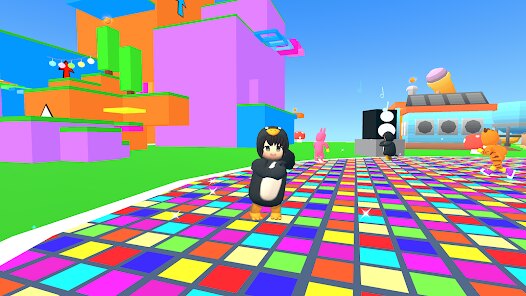
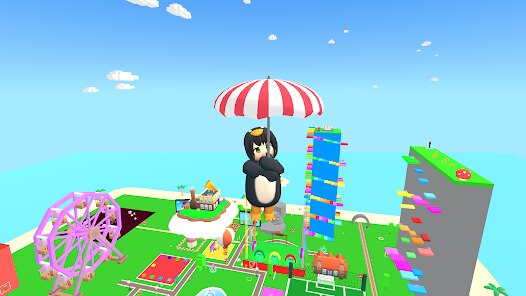
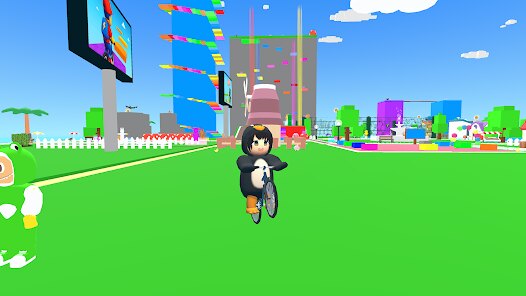
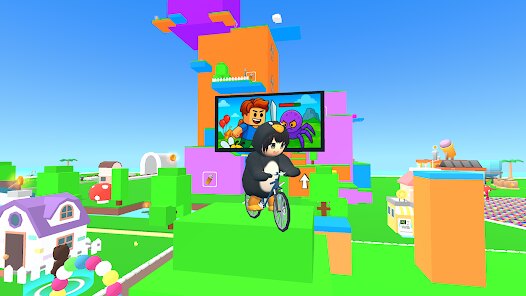
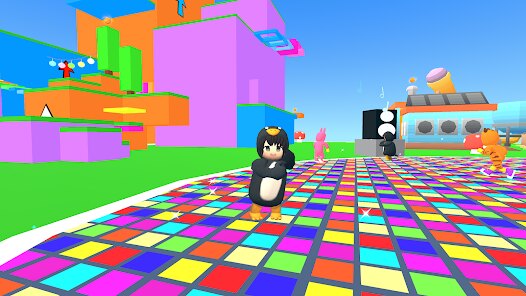
Gugu Gaga Penguin: Mini Games is a lighthearted, family-friendly collection of bite-sized challenges centered around an adorable, waddling penguin. Developed by Kids Games LLC, the game falls squarely into the casual mini-game genre, catering primarily to young children, parents looking for quick, distraction-free entertainment, or anyone seeking a low-stress, no-commitment play session. The core gameplay loop is elegantly simple: you select from a menu of around a dozen or so activities—like catching fish, sliding down icy slopes, or matching colorful shapes—and complete them for points and cosmetic rewards. What initially caught my attention was its unapologetic charm and the vibrant, pastel-infused art style that feels reminiscent of a Saturday morning cartoon. The social buzz around my toddler cousins' obsession with it also piqued my curiosity; if a game can hold a three-year-old's focus for more than ten minutes, it's worth a close look.
My personal experience with the game was surprisingly positive, though it's not the kind of immersive epic I usually cover. From the first tap, the controls are immediately responsive—each mini-game uses intuitive touch mechanics like tapping, dragging, or tilting, with zero input lag. The learning curve is practically nonexistent; you can succeed on your first try without reading a single instruction. What stood out most was a "Penguin Picnic" mode where you drag fruits into a basket while avoiding mischievous seals. The collision detection felt pixel-perfect, and the cheerful sound effects (squeaks and jingles) genuinely made me smile. The UI is large, colorful, and child-safe with no confusing menus or hidden buttons. Performance-wise, it's buttery smooth on both my mid-range Android tablet and an older iPhone, with no crashes or stuttering. What enhanced the experience was turning off the background music in the settings—this let the ambient snow sounds and penguin chirps really shine, making the whole thing feel like a tiny winter retreat.
As someone who has reviewed dozens of kids' games over the years, I kept playing Gugu Gaga Penguin because it respects the player's time and attention in ways many competitors don't. There are no time-gated energy systems, no ads that interrupt gameplay every forty seconds, and no aggressive, manipulative microtransactions dressed up as "bonus packs." Instead, it relies on a simple sticker book as progression: completing challenges unlocks new hats and scarves for your penguin. This is fundamentally more rewarding than the loot-box grind found in other children's titles. What really worked for me was the quiet, judgment-free design—you can fail a minigame and simply retry without penalty or a forced timer. It stands out in its genre because it prioritizes genuine, gentle fun over engagement metrics, making it a rare gem for parents who want actual screen time peace of mind. However, older players might find the lack of difficulty progression or narrative underwhelming after a few sessions.
features
- Touch Controls 👉 Every mini-game uses one-finger tap, drag, or tilt actions. No fine motor skills needed—just a quick, direct response that feels as natural as petting a cat.
- Sticker Book Progression 📘 Completing challenges earns you new cosmetic items like bowties, sunglasses, and snowflake patterns. It's a simple, visible reward system that gives a sense of achievement without pressure.
- No Timers or Lives ⏱️ There are no countdowns, no "lose a life" penalties. You can replay any game instantly, making it perfect for short bursts or for young children who need to build confidence at their own pace.
- Parental Gate 🔒 A simple math problem (like "what is 2+3?") appears before any in-app purchase or external link. It's unobtrusive but effective—keeps wandering fingers from accidentally buying stuff.
- Offline Play 📵 All core mini-games work without an internet connection. This is a huge plus for car rides, flights, or areas with spotty data.
pros
- Charming Art Style 🎨 The penguin and its world are rendered in soft, rounded shapes with a calming pastel palette. Every animation—from a wobbling walk to a fish-flipping catch—is full of personality and warmth.
- Zero Aggressive Ads 🚫 The game doesn't shove video ads in your face after every round. There's a small, optional banner at the bottom of the menu, but it never interrupts play. This is a massive relief in the kids' game space.
- Rewarding Simplicity 🏆 Each mini-game has a clear, achievable goal (catch three fish, match five pairs), and the difficulty is perfectly tuned so that young children feel successful without being bored. It respects the player's effort.
- Great Audio Design 🔊 The sound effects are crisp and cheerful—penguin squeaks, ice cracking, and gentle splash sounds. The ability to mute the music independently is a thoughtful touch that many kid games overlook.
cons
- Limited Content Depth 📉 After unlocking all stickers (around 2-3 hours), there is little reason to revisit. The mini-games don't ramp up in difficulty, so older kids or adults will run out of steam quickly.
- No Multiplayer or Co-op 👫 There is no local or online way to play with a sibling or friend. Many family-friendly games benefit from shared play, but here it's strictly a solo experience, which limits its replayability in a family setting.
- Repetitive Soundtrack 🎵 The background music loop is pleasant but extremely short—roughly thirty seconds. It becomes grating after extended play, and while you can mute it, the silence can feel empty during longer sessions.
- No Customization for Mini-Games 🎛️ You cannot adjust speed, number of obstacles, or difficulty sliders. A "hard mode" toggle would add longevity for more skilled young players, but the game offers no such flexibility.
Articles
![]()
How to Get Robux Safely Without Scams
![]()
How to Download Older Versions of Android Apps
![]()
How to Download Games on Google Play for the First Time
![]()
What Is an APK File for Android? Everything You Need to Know
![]()
Do Free Robux Generators Work?
![]()
Robux Pricing Guide (2026 Update): How Much Robux Really Costs
![]()
How to Avoid Scams in Roblox
![]()
Rarest Pets in Adopt Me! (2026 Update)
![]()
How to Trade Safely in Adopt Me! (So You Don't Lose Everything)
![]()
Secret Tricks Nobody Tells You in 'Steal a Brainrot'
![]()
Beginner Guide: Don't Lose Your Brainrot
![]()
How to Steal in 'Steal a Brainrot' Without Getting Caught (Or at Least Not Instantly)
![]()
Is Brookhaven RP Worth Playing? It Depends on What You’re Looking For
![]()
Why Blox Fruits Is So Popular? Here’s Why Everyone Keeps Playing It
![]()
Best Roblox Obby Games for Beginners (2026): Learn the Game Without Hitting a Wall
![]()
Top 10 Roblox Horror Games (2026): The Scariest Experiences You Can't Miss









Hot Apps
-
![]()
YouTube
Google LLC4.1
-
![]()
CapCut - Video Editor
Bytedance Pte. Ltd.4 -
![]()
Afterpay - Buy Now Pay Later
Afterpay3.8
-
![]()
Passport Parking
Passport Labs, Inc.2.5 -
![]()
Facebook
Meta Platforms, Inc.4 -
![]()
Waze Navigation & Live Traffic
Waze3.9 -
![]()
Duolingo: Language & Chess
Duolingo4.7 -
![]()
Ticketmaster-Buy, Sell Tickets
Ticketmaster L.L.C.3 -
![]()
Sora by OpenAI
OpenAI4.7 -
![]()
ParkMobile: Park. Pay. Go.
Parkmobile, LLC4.3 -
![]()
PolyBuzz: Chat with AI Friends
CLOUD WHALE INTERACTIVE TECHNOLOGY LLC.3.8 -
![]()
Pinterest
Pinterest4.5 -
![]()
PayPal - Send, Shop, Manage
PayPal Mobile4.3 -
![]()
Google Home
Google LLC4.2 -
![]()
Pandora - Music & Podcasts
Pandora4.1 -
![]()
Domino's Pizza USA
Domino's Pizza LLC4.7 -
![]()
TikTok
TikTok Pte. Ltd.4.4 -
![]()
Klarna | Shop now. Pay later.
Klarna Bank AB (publ)4.3 -
![]()
Ford™
Ford Motor Co.4.7 -
![]()
Microsoft Copilot
Microsoft Corporation4.8 -
![]()
ChatBot - AI Chat
X PhotoKit4.5 -
![]()
Hulu: Stream TV shows & movies
Disney4.5 -
![]()
PayByPhone
PayByPhone Technologies Inc .4.9 -
![]()
Spotify: Music and Podcasts
Spotify AB4.3 -
![]()
ChatGPT
OpenAI4.7 -
![]()
Netflix
Netflix, Inc.3.9 -
![]()
Zoom - One Platform to Connect
zoom.us4.1 -
![]()
DoorDash - Food Delivery
DoorDash4.6 -
![]()
Cash App
Block, Inc.4.5 -
![]()
Instagram
Instagram4.3





























Disclaimer
1.Appinfocenter does not represent any developer, nor is it the developer of any App or game.
2.Appinfocenter provide custom reviews of Apps written by our own reviewers, and detailed information of these Apps, such as developer contacts, ratings and screenshots.
3. All trademarks, registered trademarks, brand names and company names or logos appearing on the site are the property of their respective owners.
4.Appinfocenter abides by the federal Digital Millennium Copyright Act (DMCA) by responding to notices of alleged infringement that complies with the DMCA and other applicable laws.
5.If you are the owner or copyright representative and want to delete your information, please contact us [email protected].
6.All the information on this website is strictly observed all the terms and conditions of Google Ads Advertising policies and Google Unwanted Software policy.
7.Appinfocenter.com is an independent, information-only website which is 100% free to all the users.